Every product in its place
Split quantities by physical or logical location while keeping the overall inventory view.
Organize stock in the pharmacy, storage room, front counter, clinic locations or internal areas without duplicating inventory. Gvet helps you see quantities by location, move products with control and review every movement in inventory history. Try it free for 6 months.
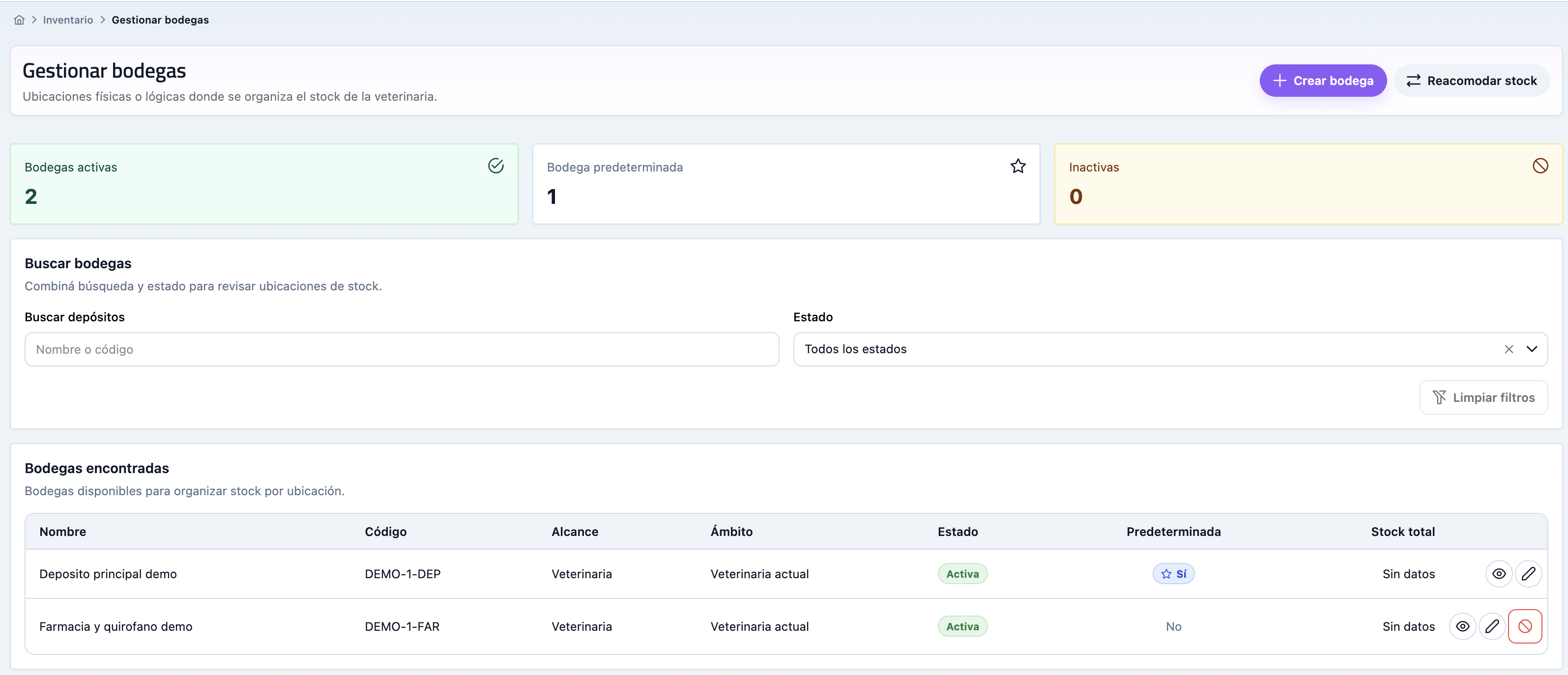
Split quantities by physical or logical location while keeping the overall inventory view.
Move products between warehouses or against general inventory and keep origin, destination and quantity visible.
Adjust quantities with a reason, review movements and detect shortages or excess before they affect care or sales.
Inventory locations help when products are not in a single place. They are useful for clinics with a pharmacy, storage room, retail area, surgery room, multiple locations or teams that need clearer responsibilities.
Create inventory locations for real areas or operational divisions, such as a pharmacy, storage room, counter, vehicle, surgery room or clinic location.
Move products between general inventory and warehouses, or between warehouses, to reflect where each unit is.
Correct count differences, expirations, damaged or lost products while leaving a clear explanation for the team.
Link purchases to a destination warehouse so replenishment is organized from the moment it arrives.
Review movements related to a warehouse and understand how stock changed without rebuilding it manually.
When a location stops being used, move its stock into another warehouse without losing movement history.
Inventory locations add structure to stock control. They do not replace the overall inventory; they show where each item is stored.
Create warehouses for the areas your clinic actually uses and set a default location for faster work.
Open an inventory location to see products, quantities, minimums and shortcuts to the product or inventory history.
Transfer stock between locations or adjust a quantity when the real count does not match.
Use inventory history to review what changed, why it moved and the resulting quantity at each location.
The goal is not to add admin work. It gives the team a clear way to answer where the product is, how much there is, who moved it and what should be replenished.
Available for Gold plan accountsWhen Inventory locations stays outside the system, the team ends up relying on memory, scattered messages or spreadsheets. Gvet turns it into a visible routine connected with the rest of the clinic.
Gvet turns Inventory locations into a clear work habit so each person knows where to record, what to review and what comes next.
Pending work, mistakes or tasks that usually appear late become easier to detect while the team can still act.
What happens in Inventory locations does not stay isolated and can support patients, clients, billing, inventory, or reporting.
These modules often complement the workflow you are evaluating and help show how Gvet connects each area.
Answers to understand when to use warehouses and how they relate to inventory.
No. A warehouse complements general inventory and helps indicate where stock is located inside the clinic.
Yes. You can move stock between warehouses or between a warehouse and general inventory while keeping movement history.
No. Warehouses are designed for the Gold plan, especially for teams with distributed stock or multiple locations.
Try Gvet free for 6 months and evaluate whether Gold helps you control stock by location with less uncertainty.