Every product in its place
Hatiin ang quantities by physical or logical location habang visible pa rin ang general inventory.
Ayusin ang stock ng pharmacy, storage room, counter, branches o internal areas without duplicating inventory. Gvet helps you see quantities by location, move products with control and review every movement in Kardex. Try it free for 6 months.
Hatiin ang quantities by physical or logical location habang visible pa rin ang general inventory.
Ilipat ang products between warehouses o general inventory with origin, destination and quantity visible.
Adjust quantities with a reason, review movements and detect shortages or excess before they affect care or sales.
Warehouses help kapag ang products ay wala sa iisang lugar. Useful for pharmacy, storage, store, surgery room, branches or teams with separate responsibilities.
Create warehouses for real areas or operational separations such as pharmacy, storage room, counter, vehicle, surgery room or branch.
Move products between general inventory and warehouses, or between warehouses, para accurate kung nasaan bawat unit.
Correct count differences, expirations, damaged or lost products while leaving a clear explanation for the team.
Link purchases to a destination warehouse para organized ang replenishment from arrival.
Review movements related to a warehouse and understand how stock changed without manual reconstruction.
Kapag hindi na ginagamit ang isang location, organize its stock into another warehouse without losing follow-up.
Warehouses add an order layer over inventory. They do not replace general stock, they help show where it is located.
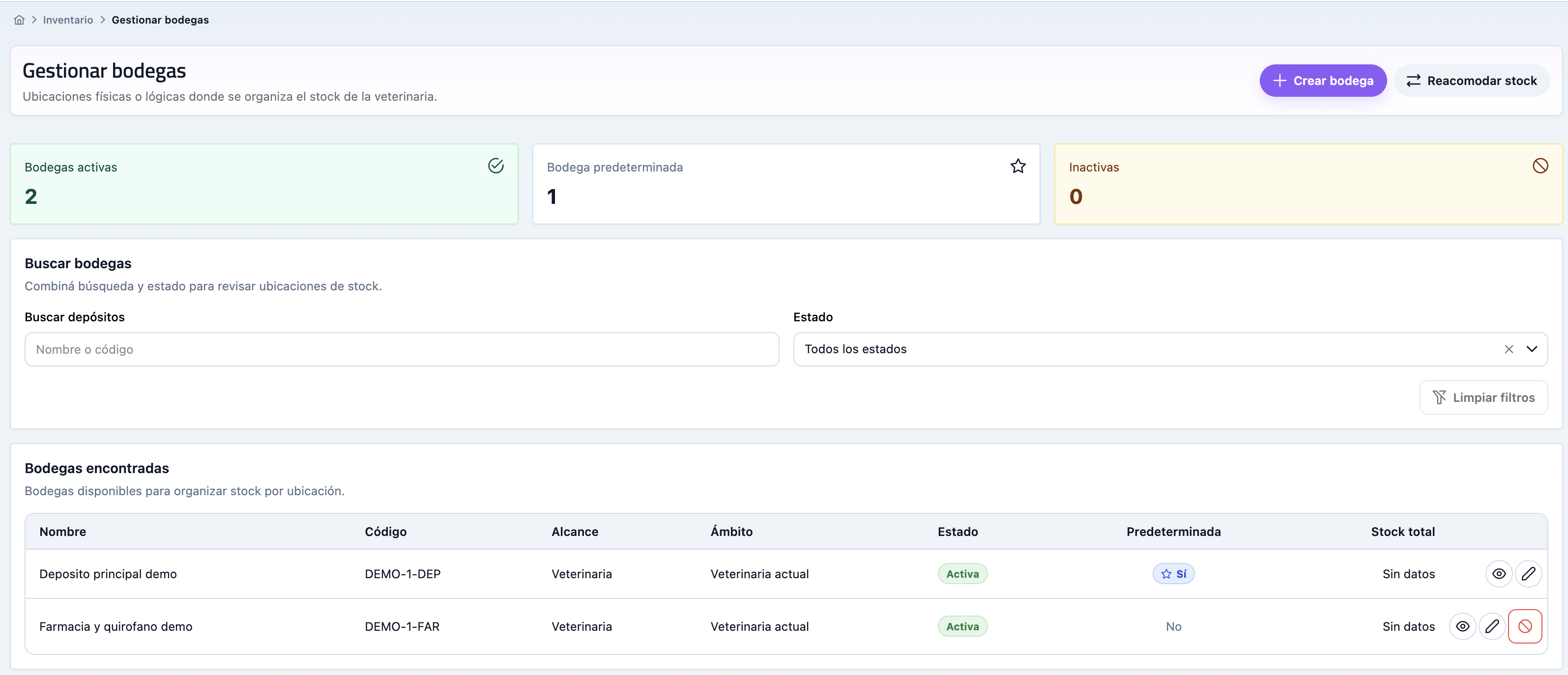
Create warehouses for the areas your clinic uses and set a default location for faster work.
Open warehouse detail to see products, quantities, minimums and shortcuts to product or Kardex.
Transfer stock between locations or adjust a quantity when real count does not match.
Use Kardex to review what changed, why it moved and how each location ended.
The goal is not more admin work. It gives the team clear answers about where the product is, how much there is, who moved it and what to replenish.
Available for Gold plan accountsKapag nasa labas ng system ang Warehouses at stock locations, umaasa ang team sa memory, scattered messages o spreadsheets. Ginagawa ito ng Gvet na visible routine na connected sa ibang bahagi ng clinic.
Ginagawang malinaw na work habit ng Gvet ang Warehouses at stock locations para alam ng bawat tao kung saan mag-record, ano ang i-review at ano ang next step.
Pending work, errors o tasks na kadalasang lumalabas nang huli ay mas madaling makita habang may oras pang kumilos ang team.
Hindi nananatiling isolated ang nangyayari sa Warehouses at stock locations at puwedeng sumuporta sa patients, clients, sales, cash, stock o reports.
Madalas na kumukumpleto ang mga module na ito sa workflow na sinusuri mo at ipinapakita kung paano pinagdurugtong ng Gvet ang bawat area.
Answers to understand when to use warehouses and how they relate to inventory.
No. A warehouse complements general inventory and helps indicate where stock is located inside the clinic.
Yes. You can move stock between warehouses or between a warehouse and general inventory while keeping movement history.
No. Warehouses are designed for the Gold plan, especially for teams with distributed stock or multiple locations.
Try Gvet free for 6 months and evaluate whether Gold helps control stock by location with less uncertainty.