Fewer internal doubts
Each person understands what they can do in the system and where they should work.
Gvet helps manage users, roles, permissions and work schedules so front-desk, clinical, billing, inventory and administrative teams operate with clearer access. Try it free for 6 months.
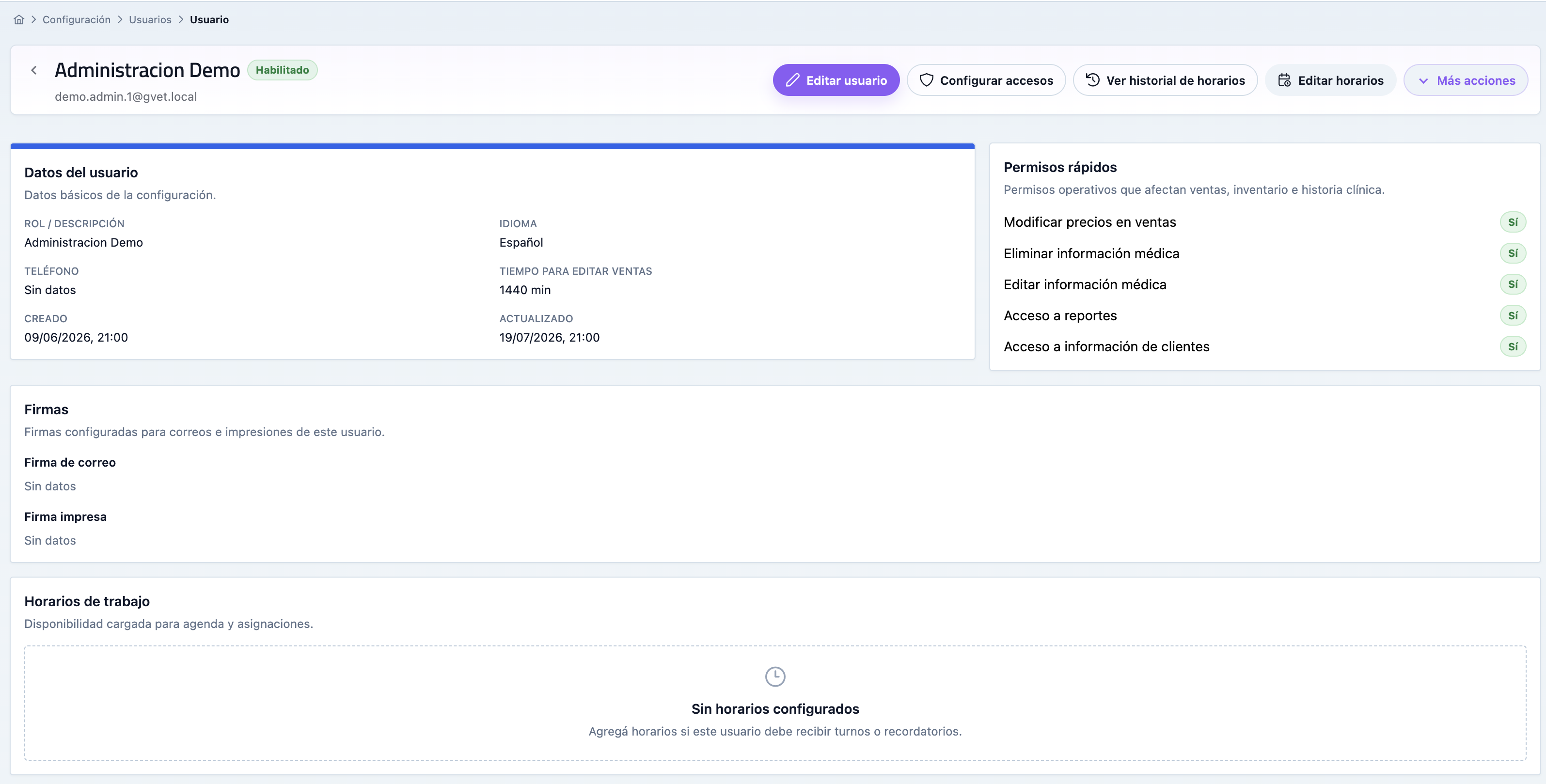
Each person understands what they can do in the system and where they should work.
Role permissions help limit sensitive areas such as cash, reports, inventory, users and settings.
When you add more people, locations or service areas, you can organize responsibilities without losing control.
The clinic works better when each area sees what it needs and avoids screens that are not part of daily work.
The front desk team can focus on appointments, waiting room, clients and upcoming events.
Clinicians work with patients, medical records, prescriptions, certificates and follow-up care.
Commercial staff can record payments, sales, receipts and related movements.
Stock staff can review products, purchases, movements, suppliers and expirations.
Decision makers can analyze sales, revenue, expenses, visits, vaccines, cash and performance.
Authorized profiles can work with users, settings, permissions and account data.
Access control works better when it follows the real workflow of the clinic.
Add each team member with individual access and work data.
Define which modules, reports or actions each person needs according to responsibility.
Each role works in its part of the operation without relying on shared passwords.
Use reports, attendance and operational context to understand how the team works.
When Users, roles and permissions stays outside the system, the team ends up relying on memory, scattered messages or spreadsheets. Gvet turns it into a visible routine connected with the rest of the clinic.
Gvet turns Users, roles and permissions into a clear work habit so each person knows where to record, what to review and what comes next.
Pending work, mistakes or tasks that usually appear late become easier to detect while the team can still act.
What happens in Users, roles and permissions does not stay isolated and can support patients, clients, billing, inventory, or reporting.
These modules often complement the workflow you are evaluating and help show how Gvet connects each area.
Quick answers on how Gvet helps organize veterinary teams.
Yes. Gvet lets you work with users so every team member can access the system with their own profile.
Yes. The system includes permissions for areas such as sales, POS, reports, inventory, users, settings and other actions.
Yes. It is especially useful when operations start to split between front desk, clinicians, POS, inventory and administration.
Try Gvet free for 6 months and see whether it helps coordinate users, permissions, schedules and daily operations.